 Fablum
How to find free ebooks
Fablum ships with a public catalog of books whose copyright has run out. There is no store and no checkout: you search it, and you download what you want.
Books whose copyright has run out are free to read, and there are tens of thousands of them. Fablum comes with a public catalog of exactly those: novels, short stories, poetry, and a smaller set of the same works recorded as audiobooks. No store account, no checkout, nothing to sign up for.
- 1
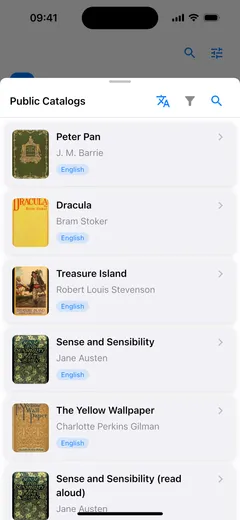
Tap + in your library and choose Public Catalogs. The catalog opens as a sheet over your books, so you never leave the app.
- 2
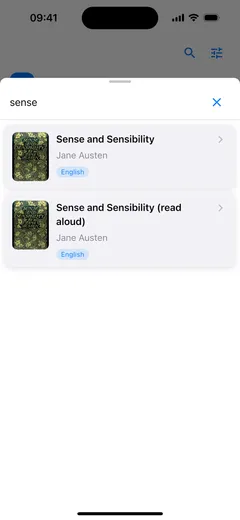
Search for a title or an author, or use the two filters: the language button picks the language the books are written in, and the funnel narrows the list by type.
- 3
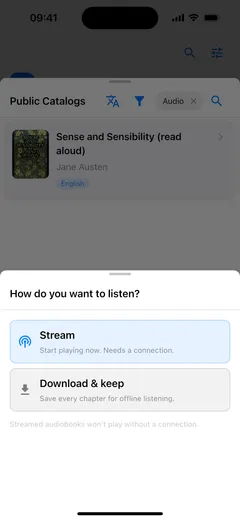
Tap a book to see what it offers, then download it into your library. An audiobook asks one question first — Stream now, or Download & keep for offline listening.
What is in the catalog
Public-domain titles: the books whose copyright has expired, which is why they cost nothing. The catalog holds tens of thousands of them, and a smaller number of the same works read aloud. If a title exists as several editions, or as an ebook and an audiobook, the search folds them into one card instead of five, and a badge on the card tells you the language.
Those titles are public domain in the United States. Copyright terms differ from country to country, so it is worth checking the rules where you are before you download.
Finding something specific
Search takes a title or an author and looks through the catalog as you type. The language filter offers 36 languages; the catalog opens in your app’s language where it can, and falls back to English when there is nothing in it. The type filter has four settings (All, EPUB, PDF or audiobooks), and once one is active a chip in the toolbar names it, with an ✕ to clear it again.
After the download
A downloaded book is a file on your device. It opens offline, it keeps your place, and it sits on the same shelf as the EPUBs you imported yourself. Browsing the catalog and downloading from it need a connection; reading what you already downloaded does not.
Nothing in the catalog is bought, so nothing has to be restored, signed in to, or renewed. You pick a book, it downloads, and it is yours to read.
What OPDS is explains the format the catalog is published in, and why a reading app can browse it at all. To keep an audiobook for a journey, see listening to audiobooks offline.