 Fablum
Audiobook player
An audiobook player that works offline.
Chapters, speed, a sleep timer and bookmarks: what you would expect from a dedicated player, in the same library as your EPUBs and PDFs. There is no account to make.



- Move around
- Chapters, a scrubber, and skips of 10, 15, 30 or 60 seconds
- Speed
- 0.5× to 2× in steps, with pitch correction on by default
- Sleep timer
- After a set time, or at the end of the chapter
- Bookmarks
- Named by chapter, with the time. Tap one to play from there
- Keep going
- Mini-player while you browse, lock screen, background play and Android Auto
- Stream or download
- Stream from the free catalog, or download and keep a copy1
- Formats
- Packaged .audiobook and .lcpa files2
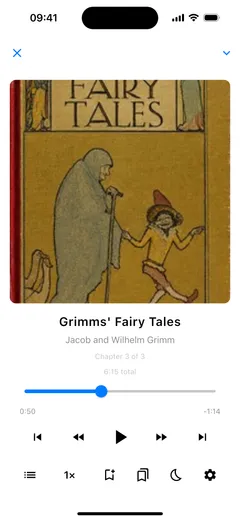
Chapters, skips and speed.
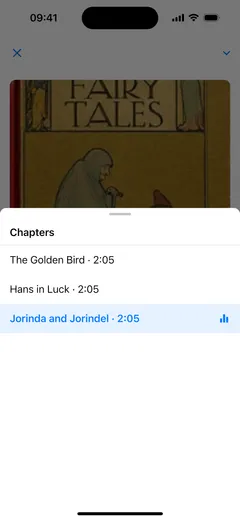
Jump to any chapter from the list, or drag the scrubber. Skip back or ahead by 10, 15, 30 or 60 seconds, and step the speed through 0.5×, 0.75×, 1×, 1.25×, 1.5× and 2×. Pitch correction is on by default, so voices stay natural when you speed up, and you can switch it off.
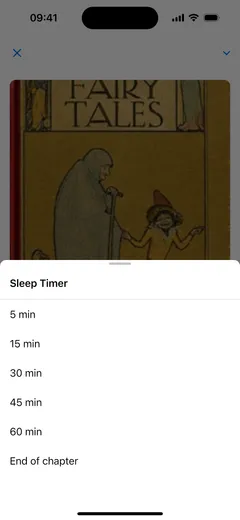
A sleep timer that can wait for the chapter to end.
Stop playback after 5, 15, 30, 45 or 60 minutes, or at the end of the chapter you are in.
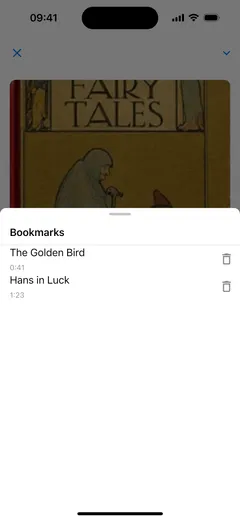
Bookmarks, named by chapter.
Tap the bookmark button to save your place. Each bookmark shows its chapter and the time, and tapping it plays from that point.
Keep listening while you do something else.
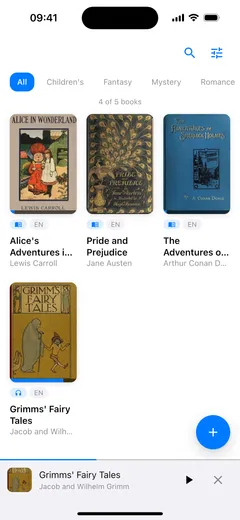
The mini-player stays at the bottom of the library while you browse. Playback carries on in the background with controls on the lock screen, and on Android Auto the audiobook appears as a chapter list with the usual transport controls.
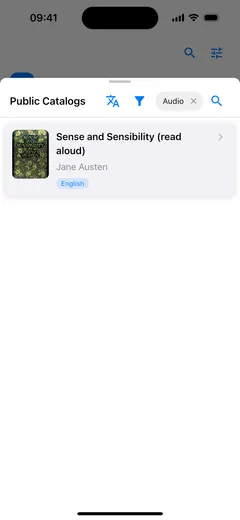
Free audiobooks from the built-in catalog.
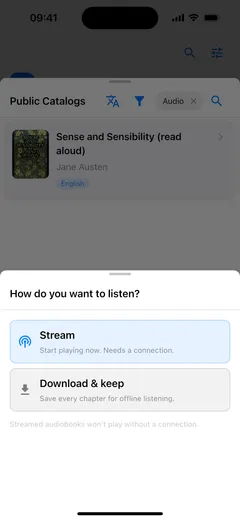
Filter the catalog to Audiobooks, open a title, then choose Stream to start right away or Download & keep to listen with no connection.
Which audiobook files work.
Fablum opens packaged audiobooks: .audiobook and .lcpa files. A folder of MP3 or M4B chapters is not one of those, so it stays out of the library.
Start with 5 books.
Free on the App Store and Google Play.